
Storage
Scans, photos and documents of your cases use your lab's storage – also the files practices send with their cases, because they are kept for your lab. The free plan includes 10 GB, Premium 250 GB. Owners and administrators see the storage under Settings → Storage.
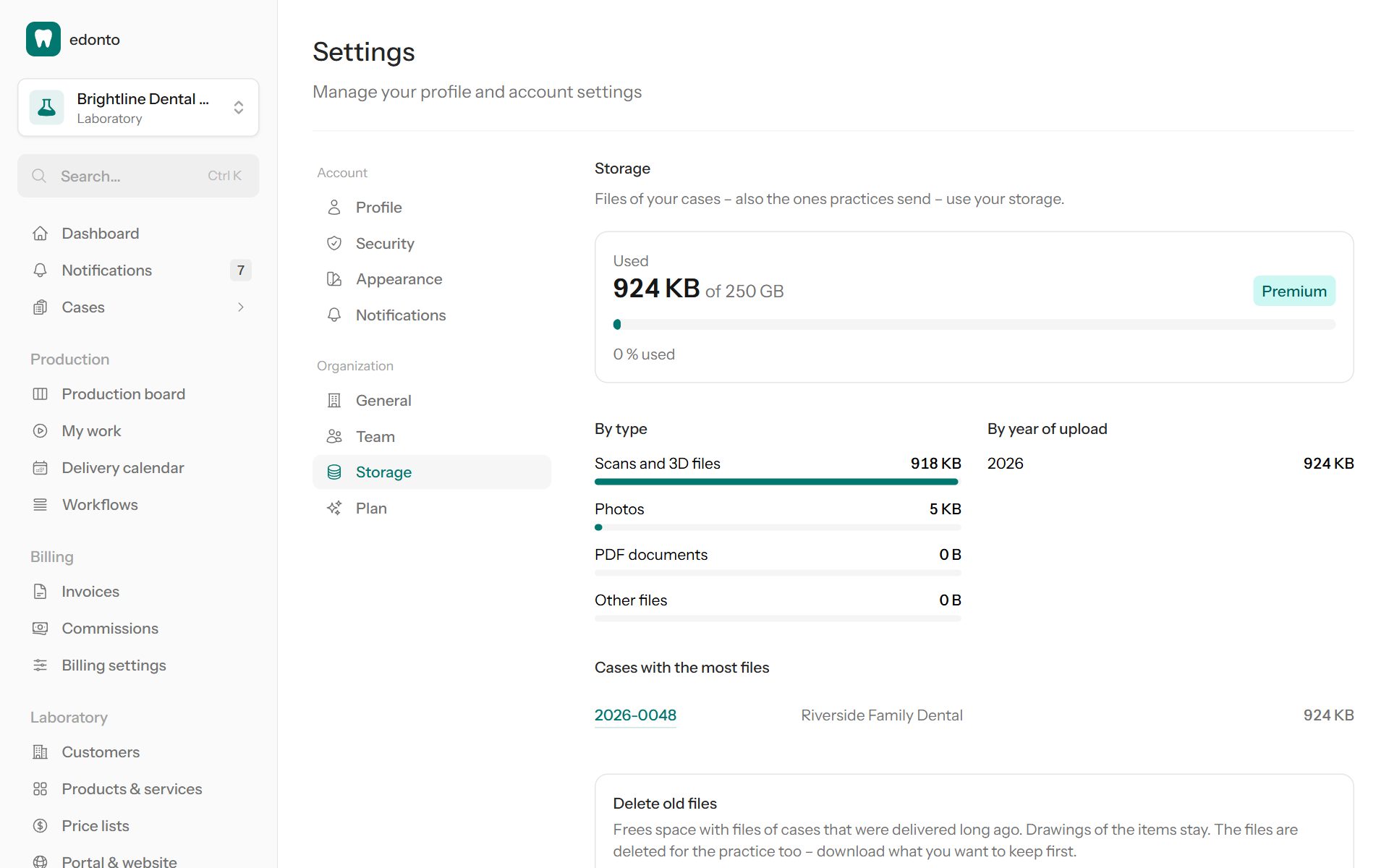
Usage
The bar shows how much is Used of your storage, below it how the space splits By type (scans and 3D files, photos, PDF documents, other files) and By year of upload, and the Cases with the most files.
At 80 % and when the storage is full, owners and administrators get a notification and an email.
When the storage is full
Your team can no longer upload files to cases. Practices can still send theirs, so no case gets stuck. Make room by deleting old files or switch to Premium for more space.
Delete old files
Under Delete old files choose Cases delivered more than 12, 24 or 36 months ago and which Files: Only scans and 3D files (usually most of the space) or All files. The page shows how many files and how much space that is; Delete files asks once more before deleting.
Drawings of the items stay. The files are deleted for good – also for the practice – so download what you want to keep first.